When you want to craft the “ideal face” in AI image generation, do bone structure keywords like oval face or high cheekbones actually work? We tested 5 conditions with facial contour and bone structure prompts to see if they produce visible changes in facial features.
Experiment Setup
Using the standard subject 1girl, 32yo japanese actress, all images were generated under identical close-up portrait conditions.
Keywords added per condition:
| Condition | Added Keywords |
|---|---|
| Control | None (base only) |
| oval face | oval face, elongated face shape |
| high cheekbones | high cheekbones, angular face |
| round face | round face, soft jawline |
| narrow jaw | narrow jaw, V-shaped chin, small face |
3 images per condition with fixed seeds (1001, 1111, 1234), 15 images total.
Control (Base Only)
First, let’s check the output with just the base prompt.
| seed 1001 | seed 1111 | seed 1234 |
|---|---|---|
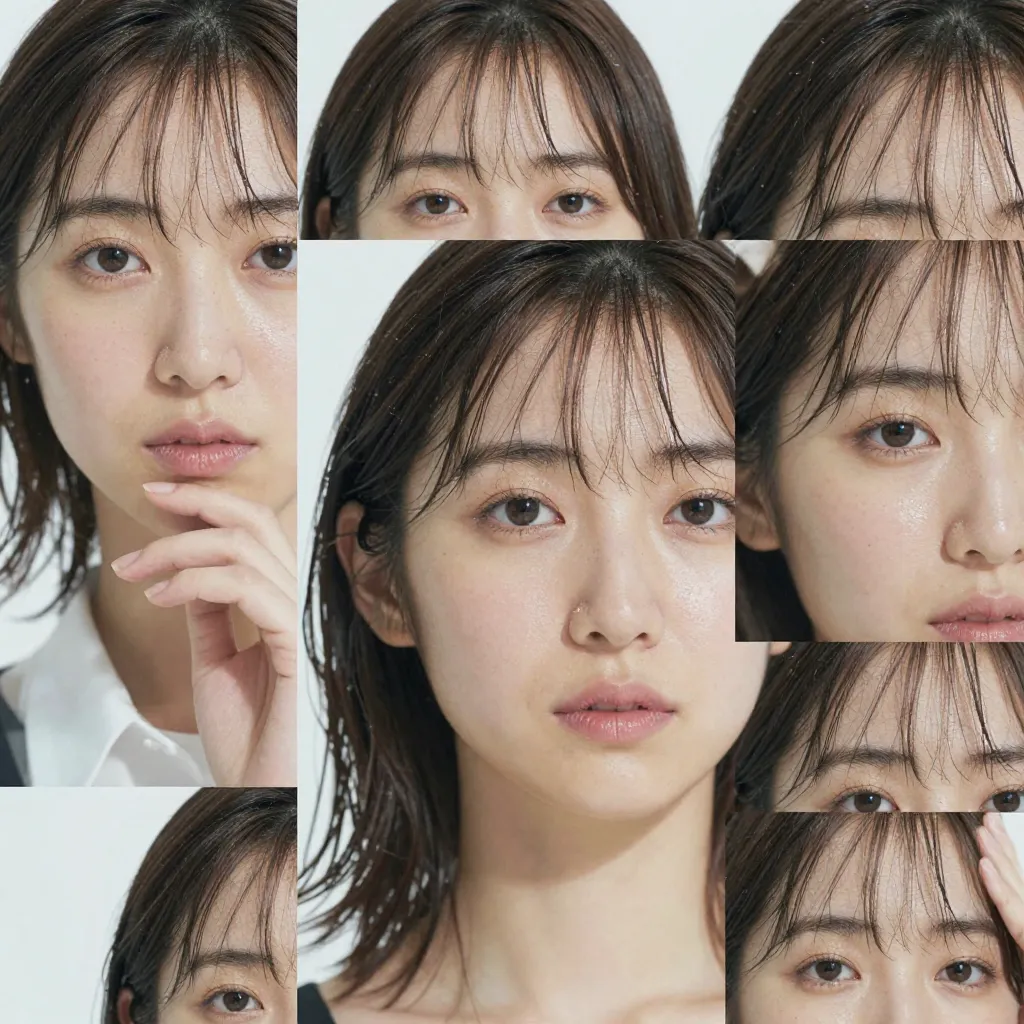 |  |  |
Seed 1001 produced a collage-style multi-shot composition, and seed 1234 had foliage overlapping the face — unstable outputs despite the close-up portrait specification. Seed 1111 delivered a standard front-facing portrait with a fairly typical, slightly rounded contour.
Experiment 1: oval face, elongated face shape
| seed 1001 | seed 1111 | seed 1234 |
|---|---|---|
 |  |  |
Seed 1001 had a veil over the face making contour assessment difficult, though the face itself retained roundness. Seed 1111 showed no significant change compared to the control. Seed 1234, with an updo exposing the jawline, had a slightly elongated impression in 1 of 3 images. However, this was not a definitive “oval transformation.”
Experiment 2: high cheekbones, angular face
| seed 1001 | seed 1111 | seed 1234 |
|---|---|---|
 | 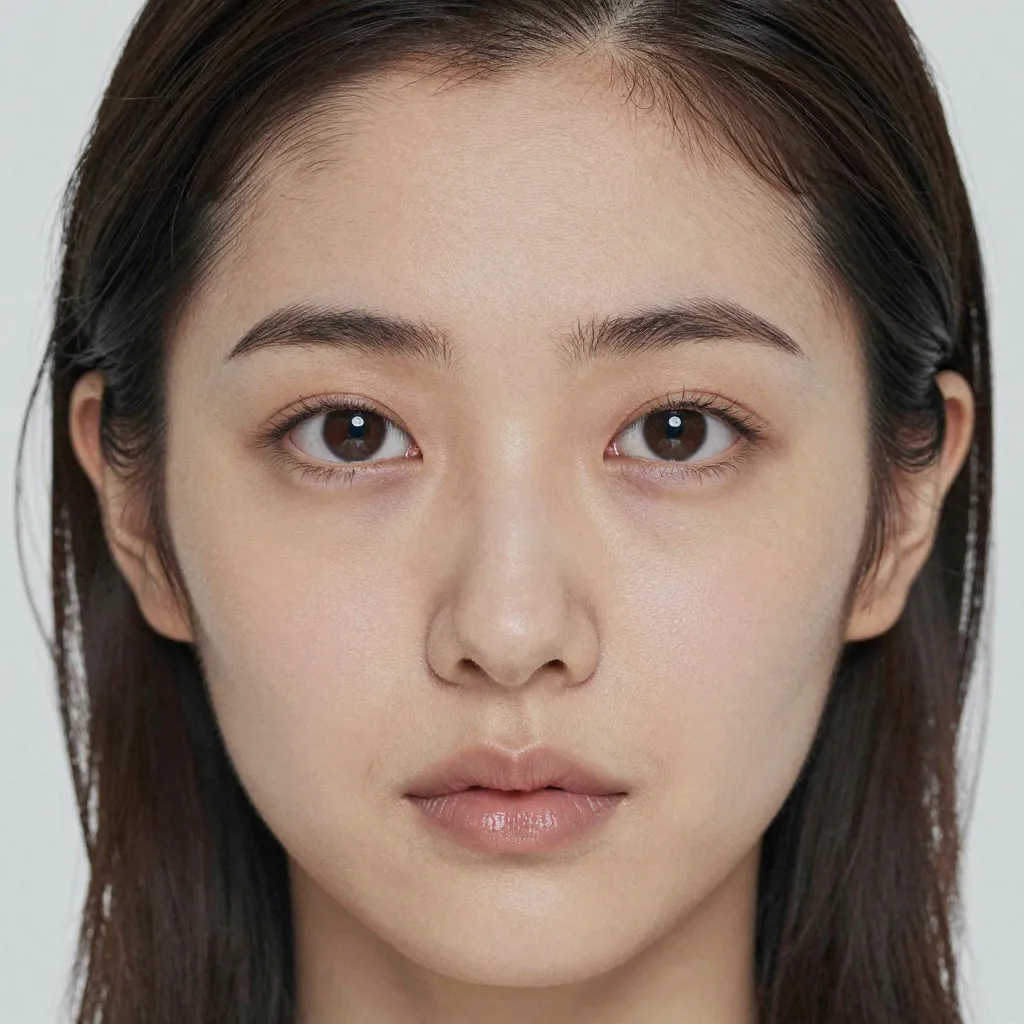 | 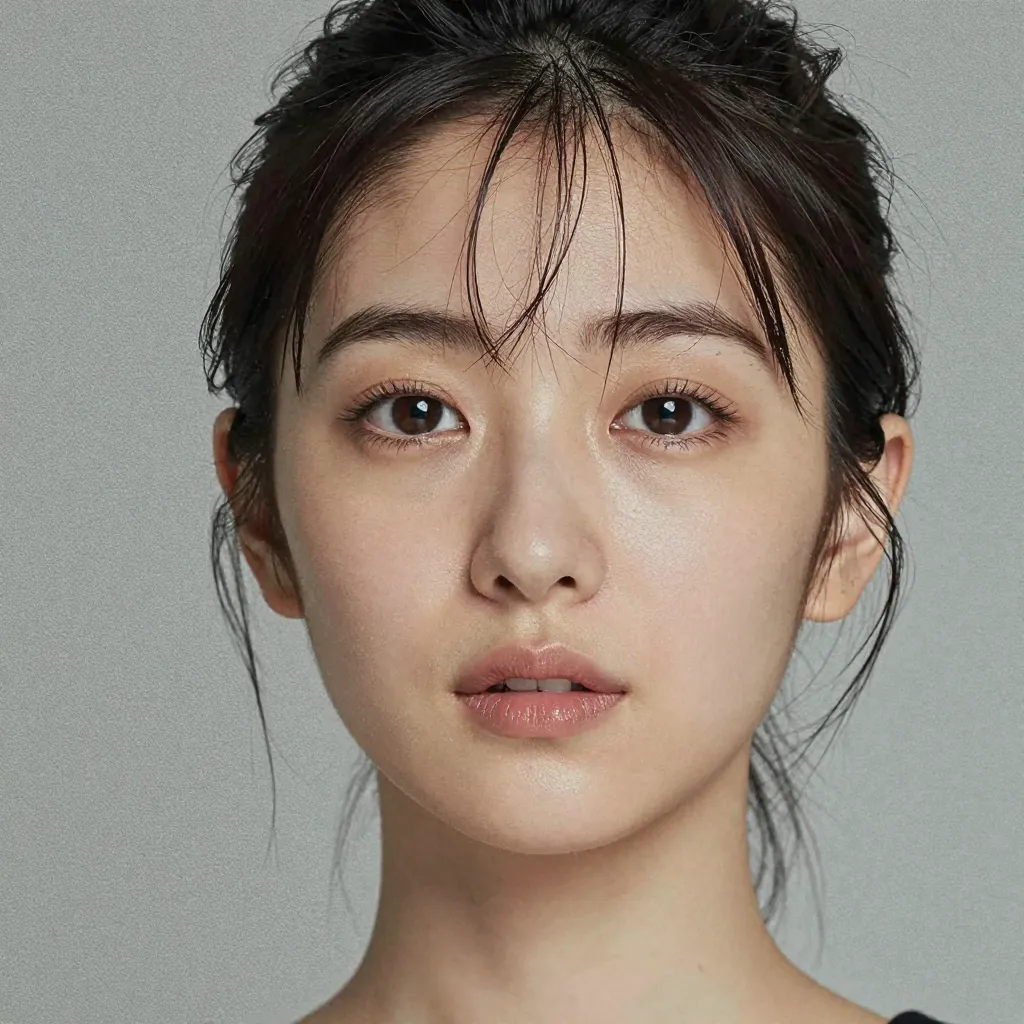 |
This condition showed the most visible change across all 5 conditions. In 3 of 3 images, shadows around the cheekbone area were more pronounced, giving the face a more defined, sculpted look. Seed 1111 in particular showed noticeably more prominent cheeks compared to the control, and seed 1234 had clearly visible cheekbone shadows. The angular face keyword likely contributed to the overall sharper appearance.
Note: Cheekbones produced the clearest effect of all keywords tested. This may be because cheekbones are easy to represent through shading – the model appears better at suggesting shape through shadow than at reshaping the contour itself.
Experiment 3: round face, soft jawline
| seed 1001 | seed 1111 | seed 1234 |
|---|---|---|
 |  |  |
In 2 of 3 images (seed 1001, seed 1234), the jawline appeared more rounded and the cheeks slightly fuller. Seed 1111 also showed a hint of added roundness, but the difference from the control was small. round face does tend to manifest as contour roundness, but the change remained subtle rather than dramatic.
Experiment 4: narrow jaw, V-shaped chin, small face
| seed 1001 | seed 1111 | seed 1234 |
|---|---|---|
 |  |  |
In 2 of 3 images (seed 1001, seed 1234), the chin appeared slightly narrower and the overall face shape leaned toward an elongated look. Seed 1111 showed only a marginally thinner chin, with limited difference from the control. Rather than making the face area smaller (as small face might suggest), the effect seemed to tighten the jawline.
Note: Using three keywords – narrow jaw, V-shaped chin, and small face – produced only a slightly thinner-looking chin. The effect-to-token ratio for bone structure prompts is low.
Same-Seed Side-by-Side Comparison
All 5 conditions at seed 1111:
| Control | oval face | high cheekbones | round face | narrow jaw |
|---|---|---|---|---|
| | | | |
Note that even with the same seed, subject identity is not preserved — each condition generates a different person. The accurate interpretation is that the keyword “pulls toward” a different person who fits that description, rather than reshaping the same face.
With that caveat, high cheekbones produced the most visually identifiable change. Round face and narrow jaw showed subtle differences, while oval face was nearly indistinguishable from the control.
Summary
| Condition | Effect | Notes |
|---|---|---|
| oval face, elongated face shape | Very weak | Slight elongation trend in 1 of 3 images. Not a clear effect |
| high cheekbones, angular face | Moderate | Cheekbone shadows emphasized in 3 of 3 images. Most effective condition |
| round face, soft jawline | Weak | Roundness trend in 2 of 3 images. Changes were subtle |
| narrow jaw, V-shaped chin, small face | Weak | Thinner chin trend in 2 of 3 images. Limited effect despite 3 keywords |
The most effective bone structure prompt was high cheekbones, angular face. Cheekbones, being representable through shadows and highlights, appear to be more reliably reflected than contour-shaping keywords (oval, round, narrow jaw).
Meanwhile, shape-based descriptors like oval face and round face had minimal effect, and even the 3-keyword combination of narrow jaw, V-shaped chin, small face produced limited results relative to token cost. If you want to change the impression of a face, makeup and expression keywords may be more efficient than bone structure prompts.
Note: Controlling facial bone structure through text proved difficult overall. Cheekbones is the one keyword worth keeping; the rest offer little effect for the tokens spent.
![[Verified] Image Generation Prompt Best Practices](/tips/prompt-best-practices/cover_0_0000_4517457392071889496.webp)

![[Experiment] Prompts for Blush, Contouring, and Highlight | 14 Conditions, 42 Images](/tips/blush-contour-highlight-test/a01_blush_s2_0_0000_7295072554507705269.webp)