When you want an extreme close-up of a face, which prompt works best? We also tested “cross-eyed” for gaze control and “skin pores” for texture detail. Three themes, 18 conditions, 54 images.
Key Findings
Prompts That Work
Face occupies 60-75% of the frame, far surpassing all other conditions. Specifying of face is the key.
Freckles and moles appeared in 3/3 images, with increased skin texture detail. Adding intensity modifiers (heavy, many, prominent) further increases density.
Prompts That Don’t Work
portrait (no difference from control), cross-eyed (0/3 showed cross-eyed effect), skin pores (no difference from control), visible skin pores (same), strabismus (minimal difference only)
Test Parameters
| Parameter | Value |
|---|---|
| Model | z-image-turbo (6B, photorealistic distilled) |
| Steps | 8 |
| Sampler | euler |
| Scheduler | ddim_uniform |
| CFG | 1.0 |
| Image size | 1024×1024 |
| Seeds | 3 fixed seeds across all conditions |
Experiment 1: Framing Comparison — Where Does Extreme Close-Up Fit?
Base Prompt
Only the {VARIABLE} portion changes. The park at golden hour setting isolates the effect of framing keywords.
a00: Control (no framing keyword)
 |  |  |
Upper body to knee-level framing. Face occupies roughly 10-25% of the frame with the park visible in the background.
b01: portrait
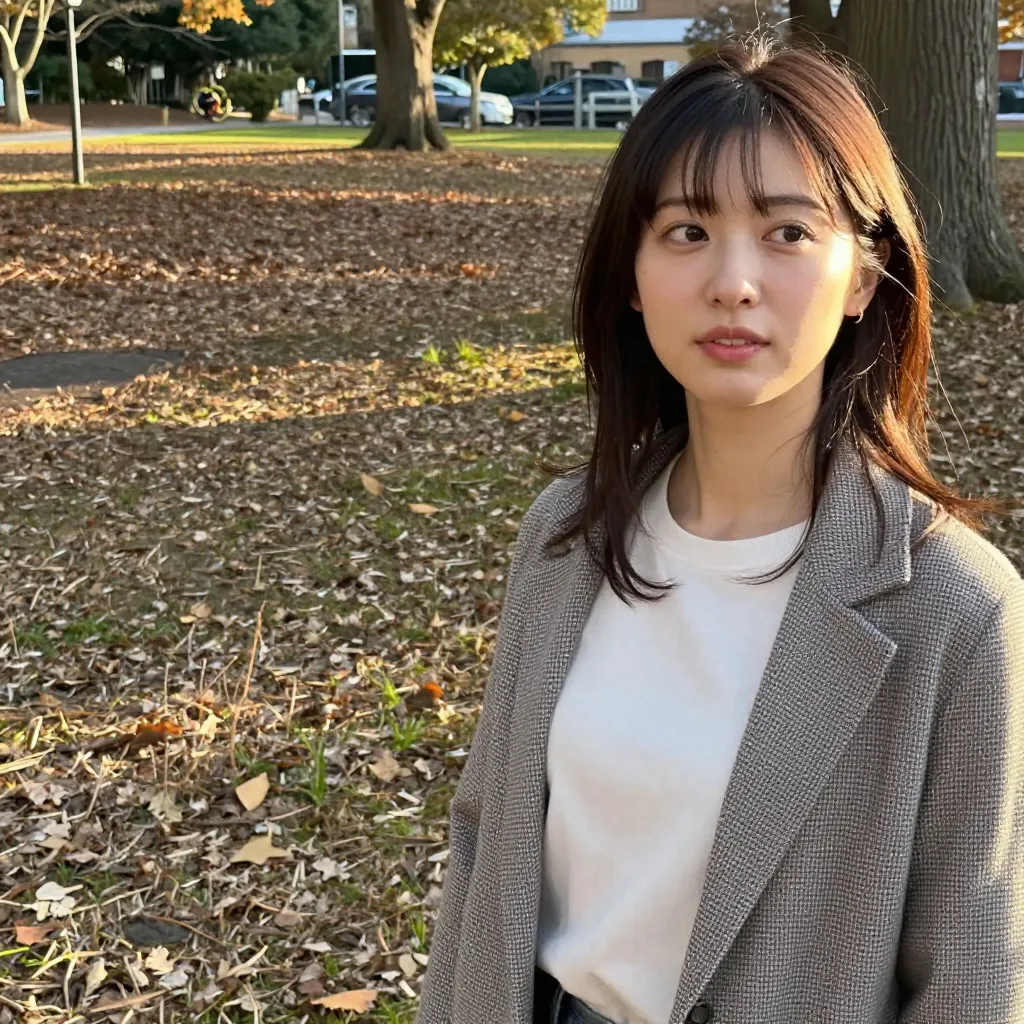 |  |  |
Nearly identical to control. No noticeable change in framing across 3/3 images. portrait alone doesn’t affect the zoom level.
b02: close-up
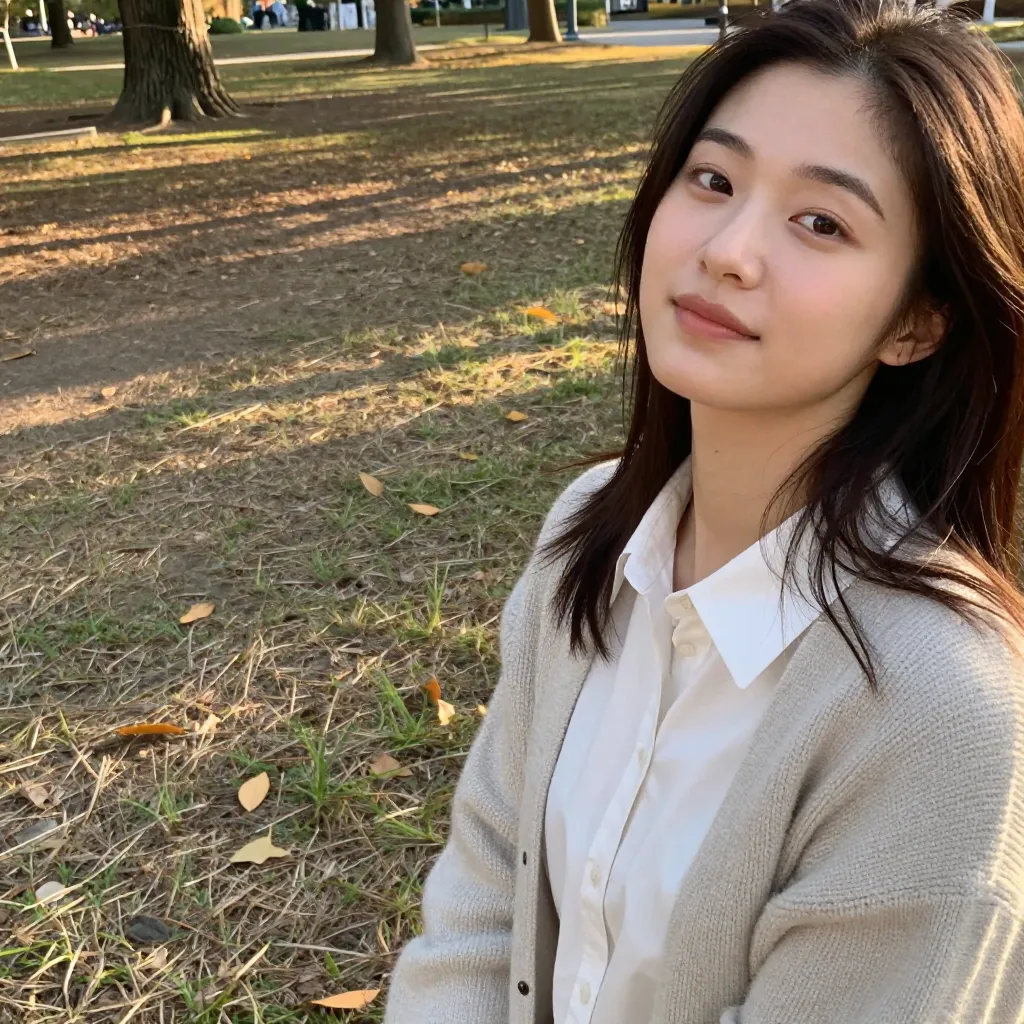 |  |  |
Shifts to chest-up to face-centered framing. Face occupancy increases to 25-40%, roughly double the control. Background area decreases. Stable across 3/3 images.
b03: extreme close-up
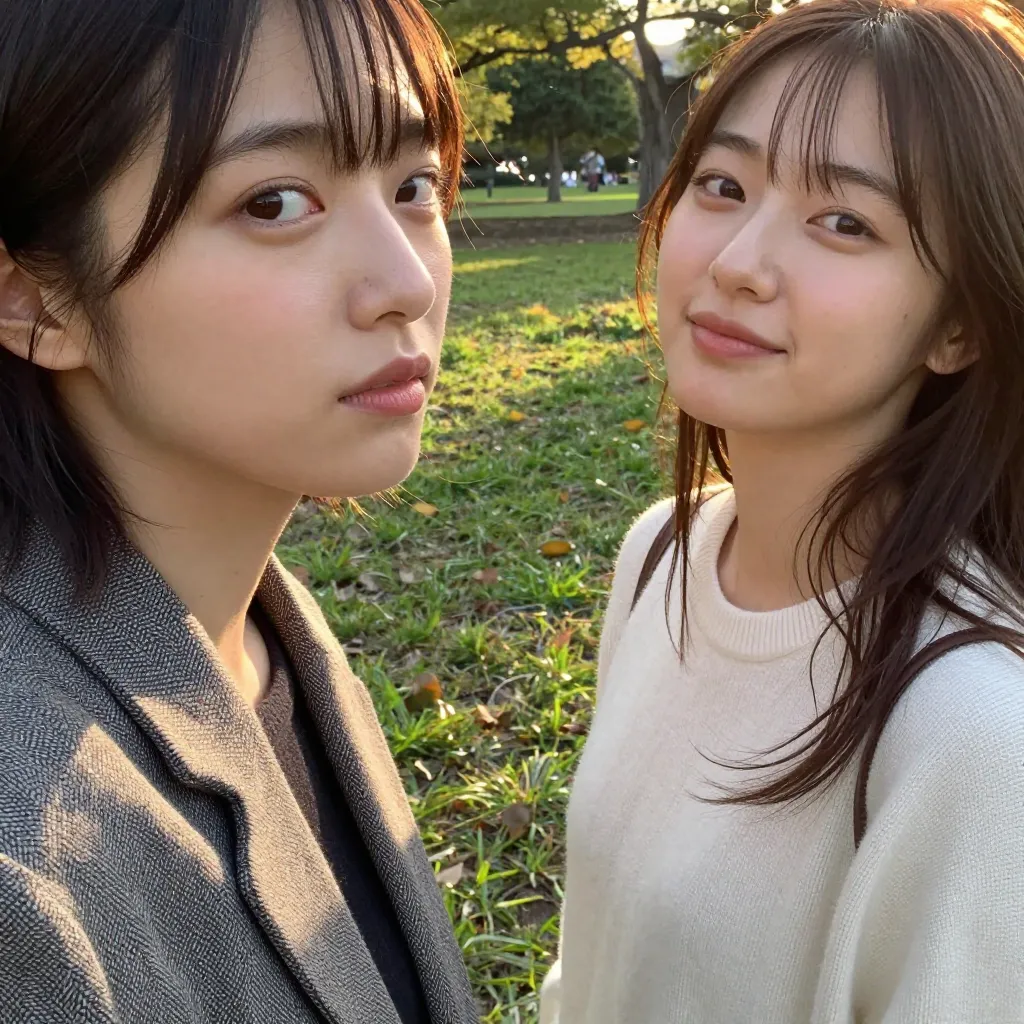 | 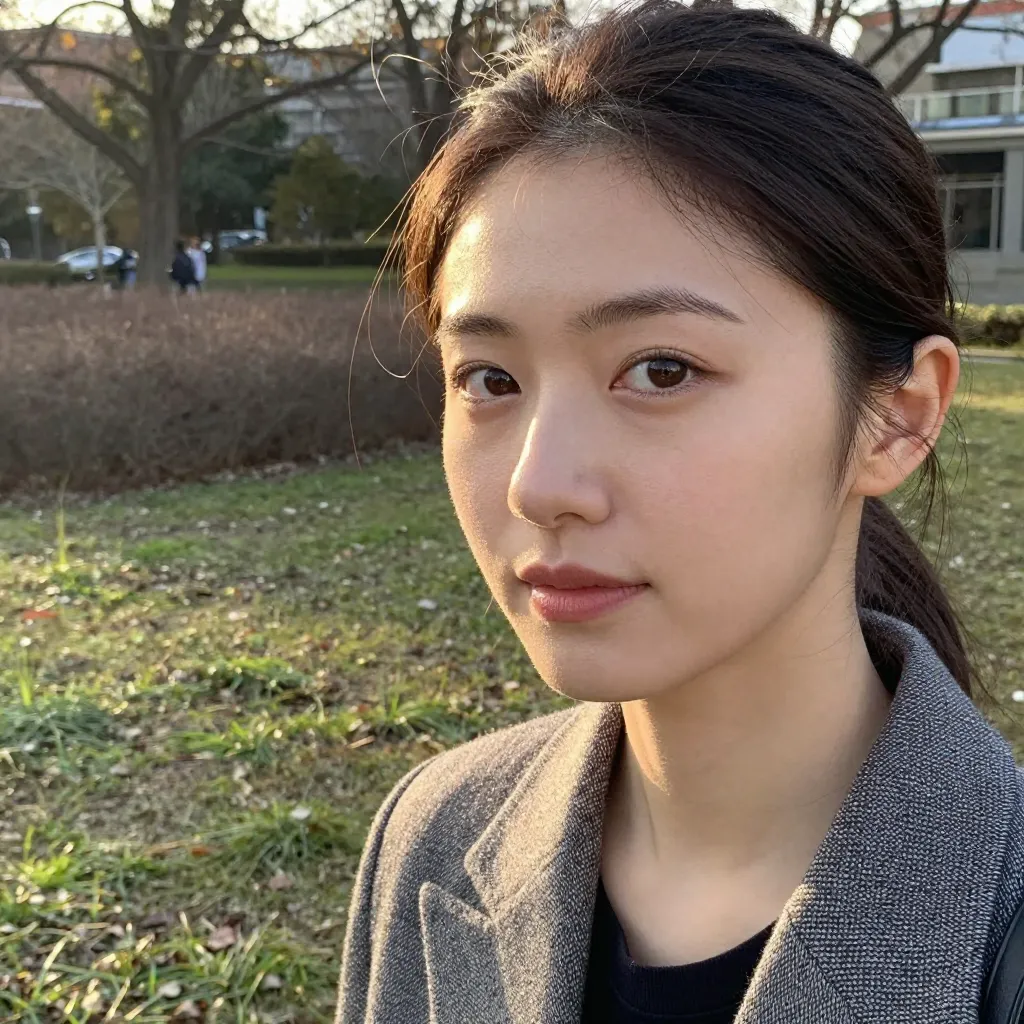 | 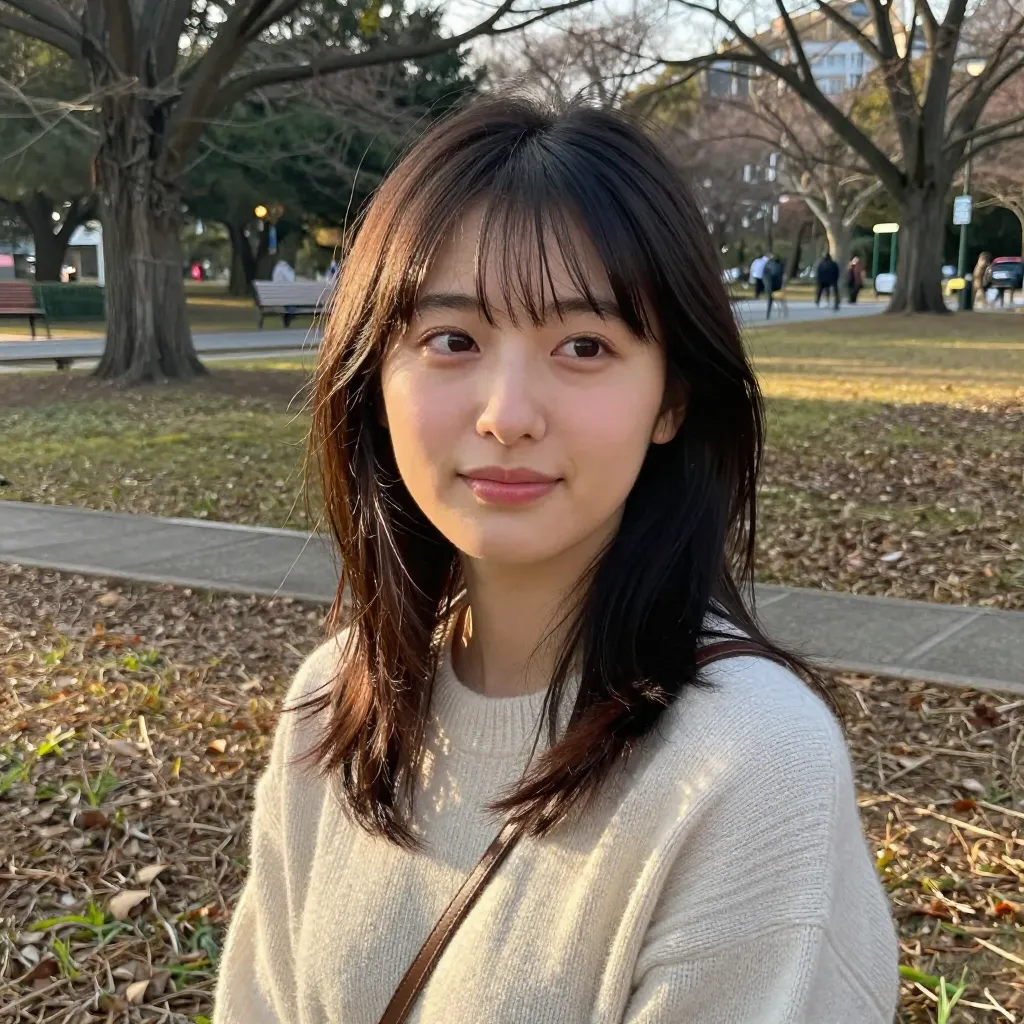 |
Face-centered framing, but the difference from close-up is small. 1/3 images showed a person duplication artifact. Without specifying what to zoom into, the composition becomes unstable.
b04: face close-up
 |  |  |
Similar to close-up. Adding face didn’t produce a clear difference from b02. However, no person duplication occurred — more stable than b03.
b05: extreme close-up of face
 |  |  |
The biggest change across all conditions. Face occupancy reaches 60-75%, roughly 3-4x the control. Background nearly disappears, with the frame filled from forehead to chin. Stable across 3/3 images with no person duplication.
Specifying of face to identify the target is critical. The effect is fundamentally different from extreme close-up alone (b03).
There’s a tendency toward angled (3/4 view) compositions in 2/3 images. Use facing camera if you need a frontal shot.
Experiment 1 Summary
| Condition | Face Occupancy | Stability | Verdict |
|---|---|---|---|
| Control | 10-25% | 3/3 | Baseline |
portrait | 10-25% | 3/3 | No effect |
close-up | 25-40% | 3/3 | Works |
extreme close-up | 30-45% | 2/3 | Weak (side effects) |
face close-up | 25-40% | 3/3 | Works (same as close-up) |
extreme close-up of face | 60-75% | 3/3 | Strong effect |
Note:
extreme close-upalone tends to leave the subject ambiguous. Specifying the target explicitly withof faceis key to getting the effect.
Experiment 2: Cross-Eyed and Gaze Control
Base Prompt
Using the most effective framing from Experiment 1, we vary only the gaze keyword. Control images are reused from b05.
c01: cross-eyed
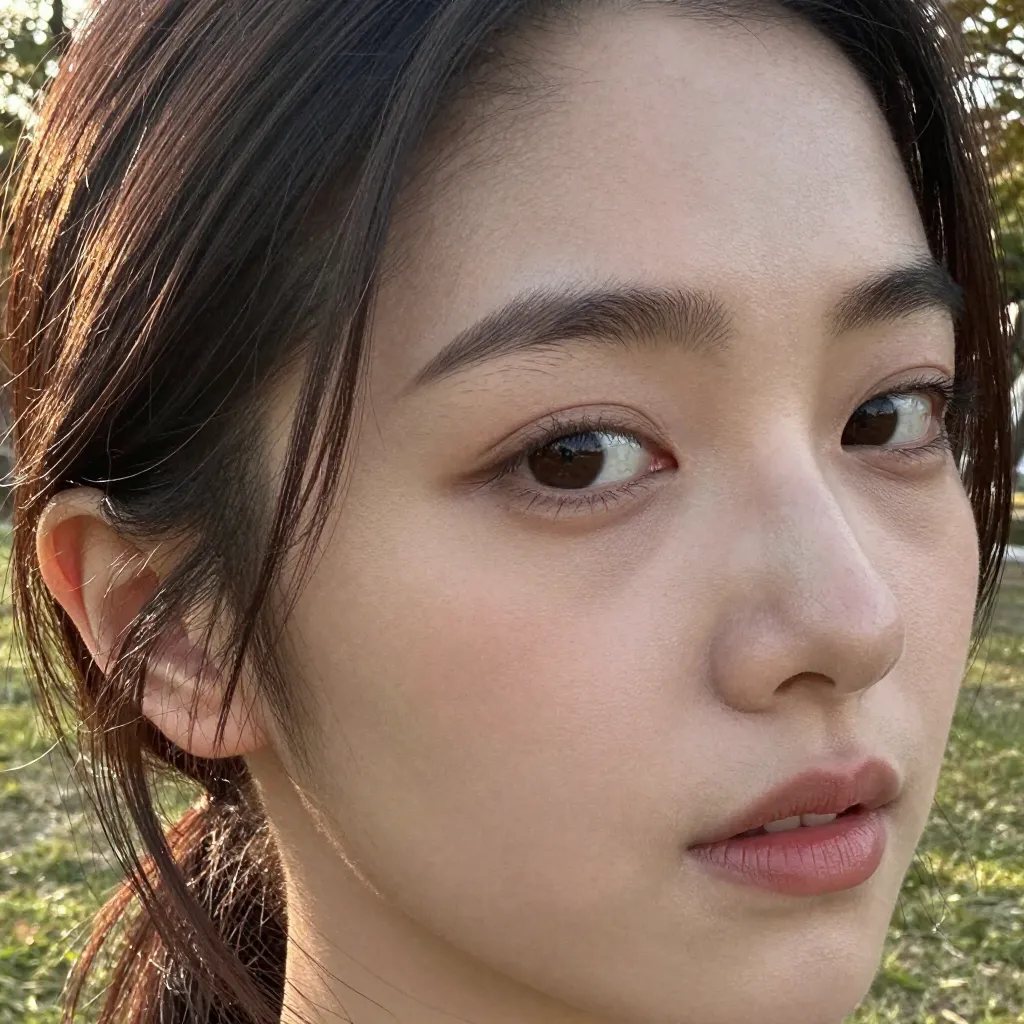 | 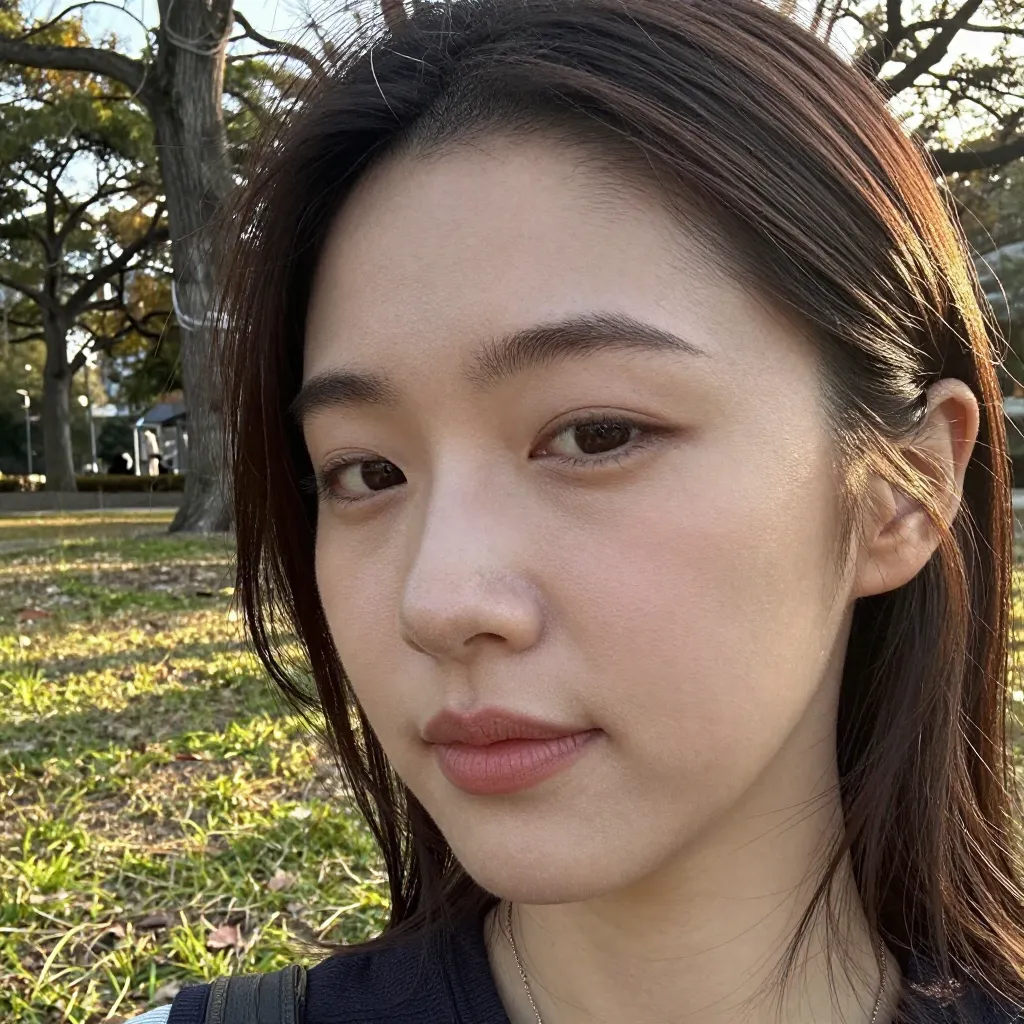 | 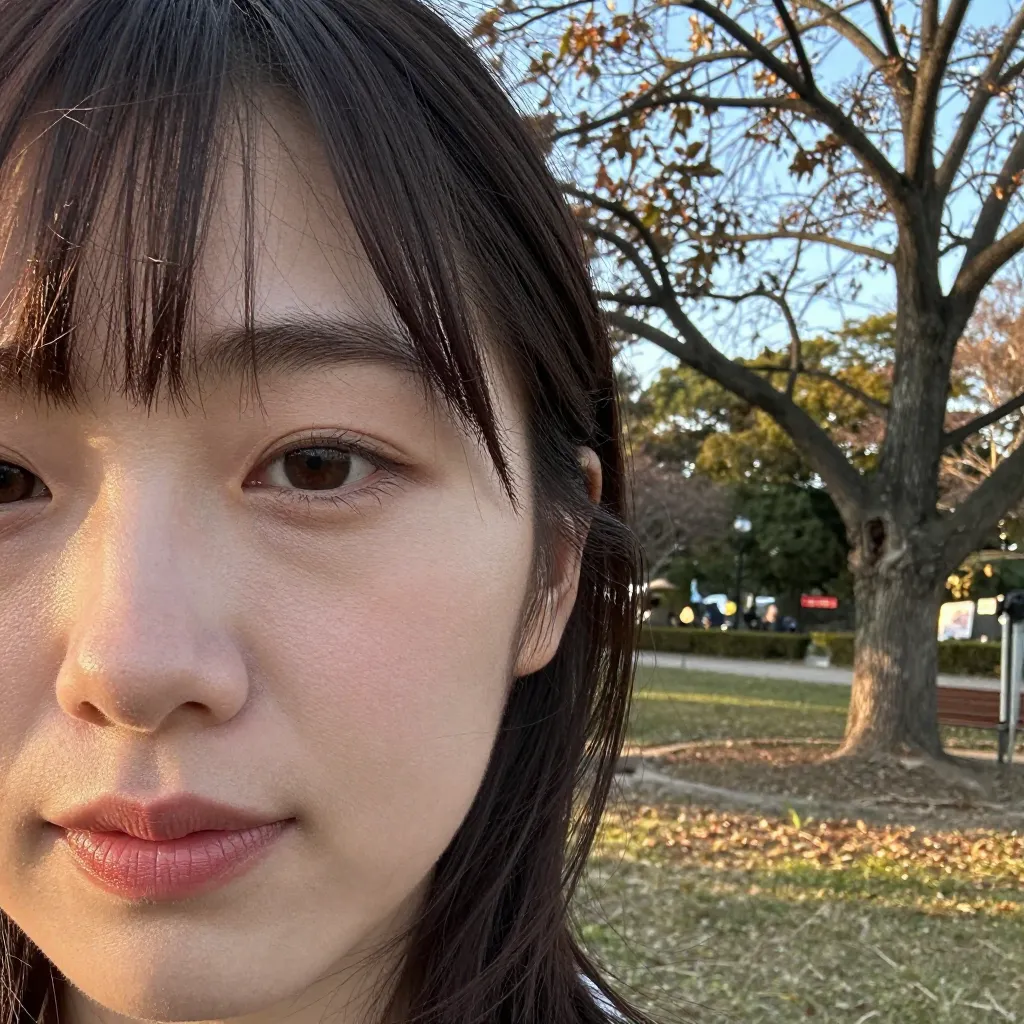 |
0/3 images showed clear cross-eyed effect. No noticeable difference from control (b05) in iris direction. cross-eyed does not work on z-image-turbo.
c02: looking at viewer
 |  |  |
Camera-facing gaze confirmed in s2. However, 2/3 images generated multiple people as a side effect. The combination with extreme close-up of face destabilizes the composition.
c03: looking away
 |  |  |
3/3 images show gaze directed away from camera — the most consistent effect. However, 2/3 images shifted to a full profile view, changing the face direction entirely rather than just the gaze.
c04: strabismus
 |  |  |
2/3 images showed a slight misalignment in iris direction between left and right eyes. However, the effect is too subtle to constitute a clear strabismus expression. s1 had a framing change, zooming into just the eyes and nose.
f01: kabuki mie pose (Kabuki stage glare)
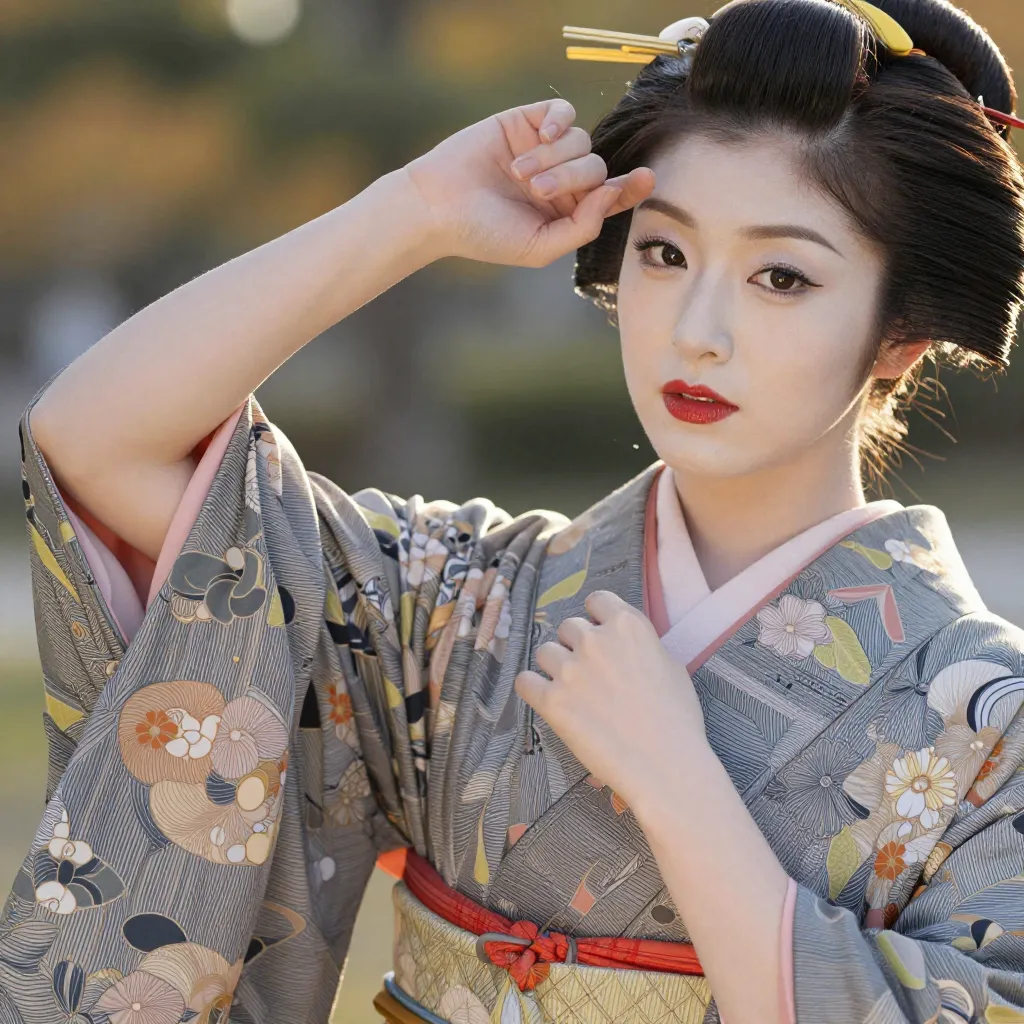 |  |  |
The kabuki “mie” is a dramatic pose that includes an intense cross-eyed glare. Result: 0/3 images showed cross-eyed effect. Instead, the output shifted entirely to a kimono-clad woman with traditional kabuki-style aesthetics. extreme close-up of face was completely overridden, reverting to an upper-body composition. The kabuki keyword dominates the entire style.
f02: crossed eyes intense glare
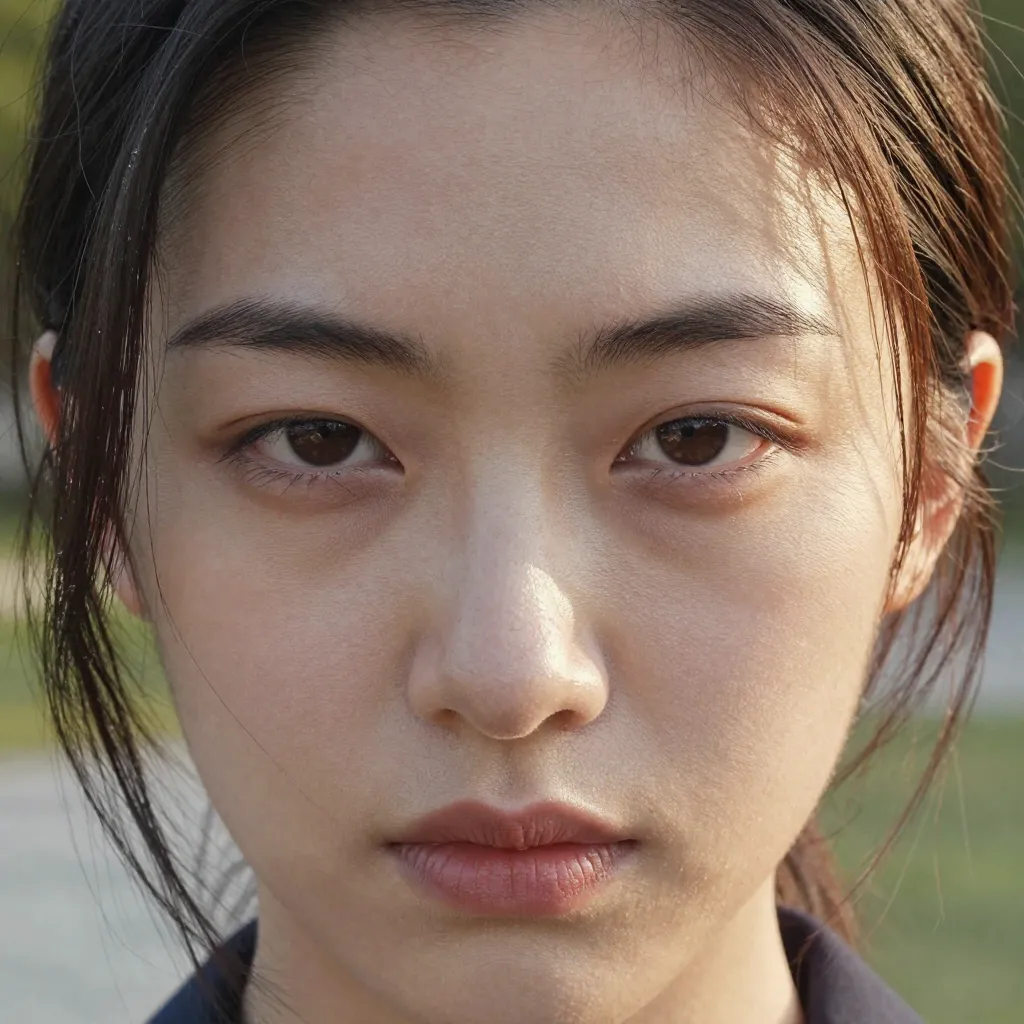 | 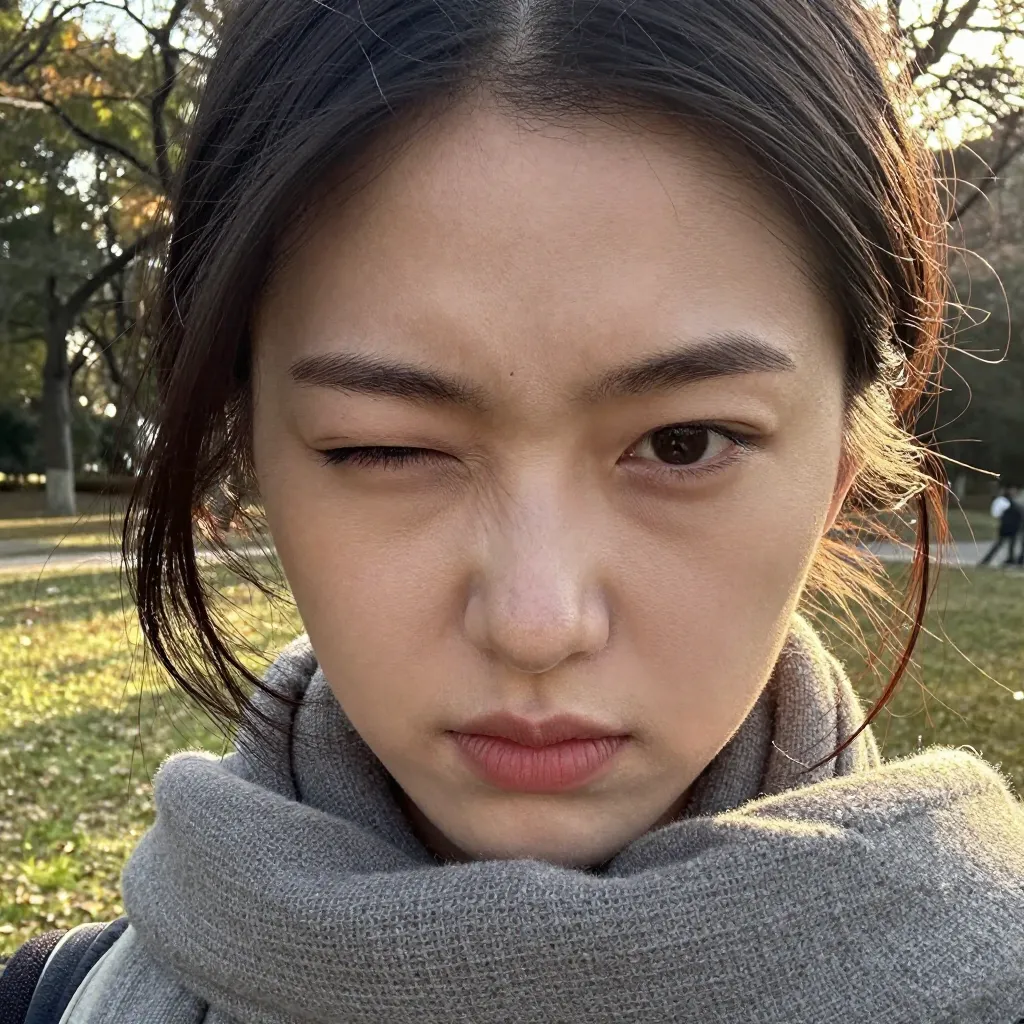 | 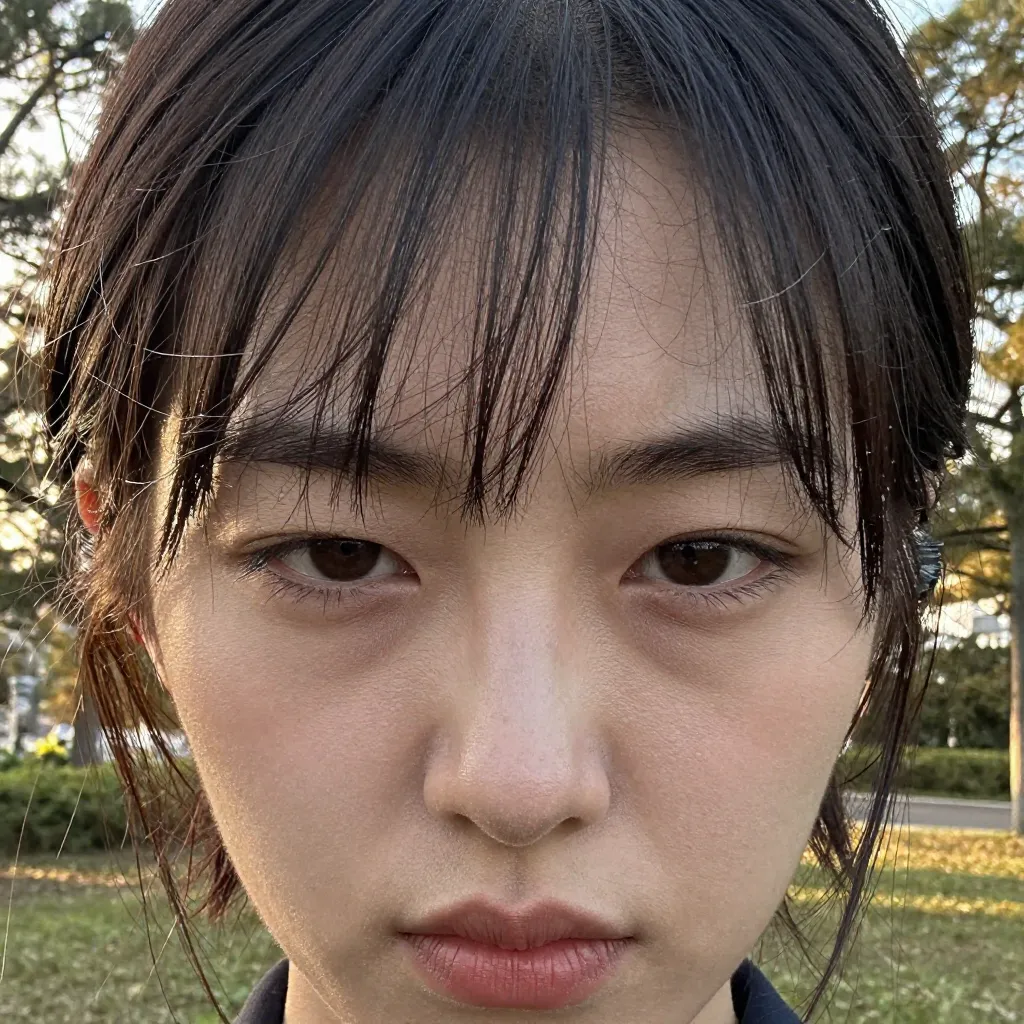 |
Rephrasing to crossed eyes also produced 0/3 cross-eyed results. s2 showed a squinting expression, but that’s from intense glare, not crossed eyes.
Experiment 2 Summary
| Condition | Effect | Stability | Side Effects |
|---|---|---|---|
cross-eyed | No effect | 0/3 | None |
looking at viewer | Works | 1/3 (single person) | 2/3 multi-person generation |
looking away | Works | 3/3 | 2/3 full profile shift |
strabismus | Weak | 2/3 | Framing change |
kabuki mie pose | No effect | 0/3 | Kabuki styling overrides composition |
crossed eyes intense glare | No effect | 0/3 | Squinting from glare only |
Note: Five different approaches to cross-eyed across 15 images produced zero hits. Cross-eyed expression appears to be difficult to reproduce with z-image-turbo.
Experiment 3: Skin Pores — Can You Specify Pore Detail?
Control uses the same b05 images.
d01: skin pores
 |  |  |
0/3 images showed visible pore detail. No difference from control.
d02: visible skin pores
 | 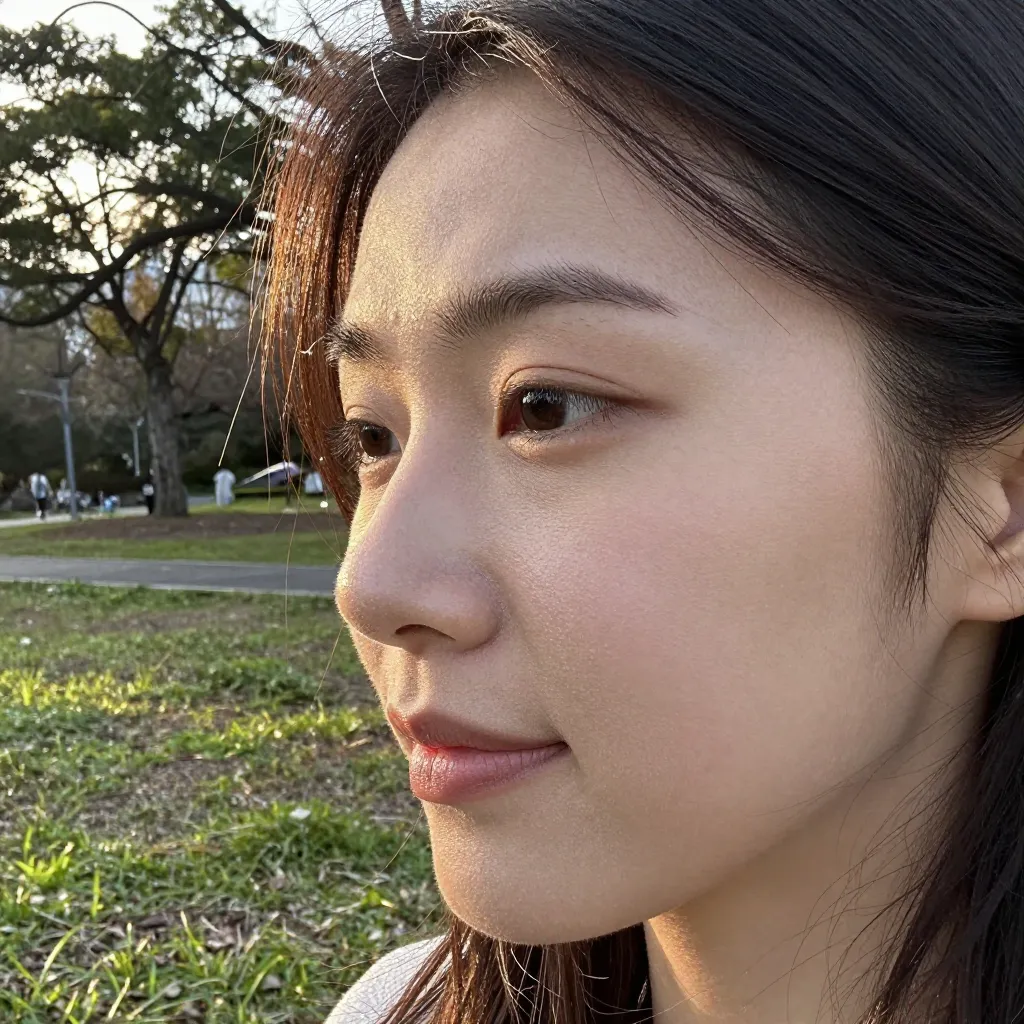 |  |
Adding visible makes no difference. 0/3 images showed pore detail.
d03: detailed skin texture
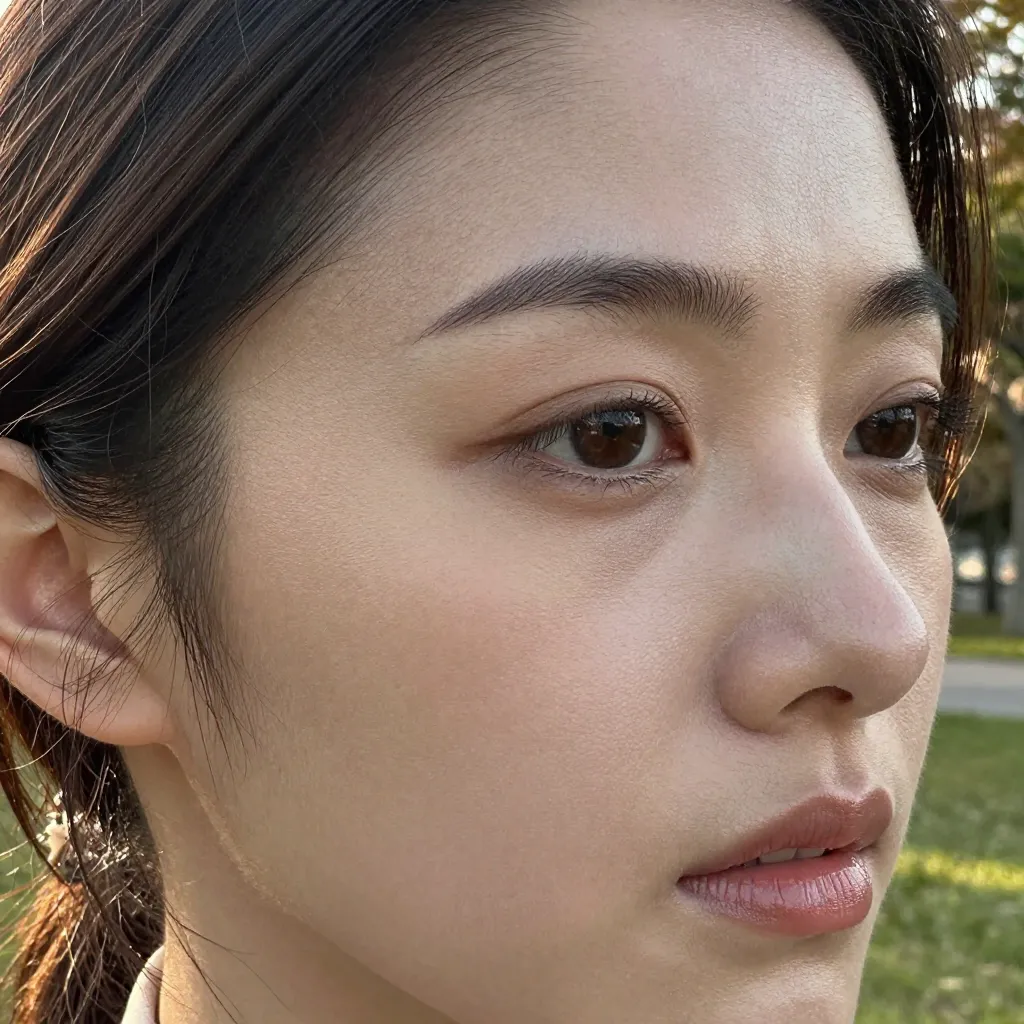 | 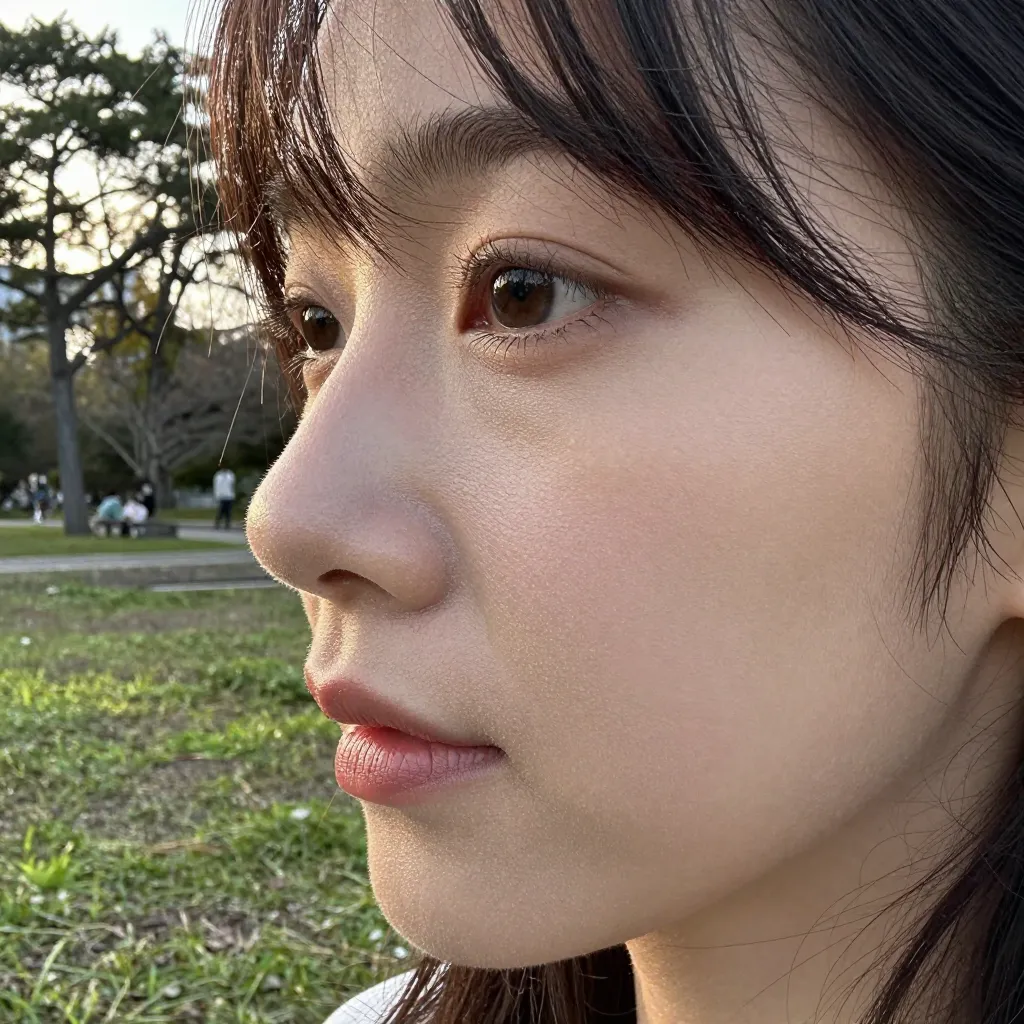 | 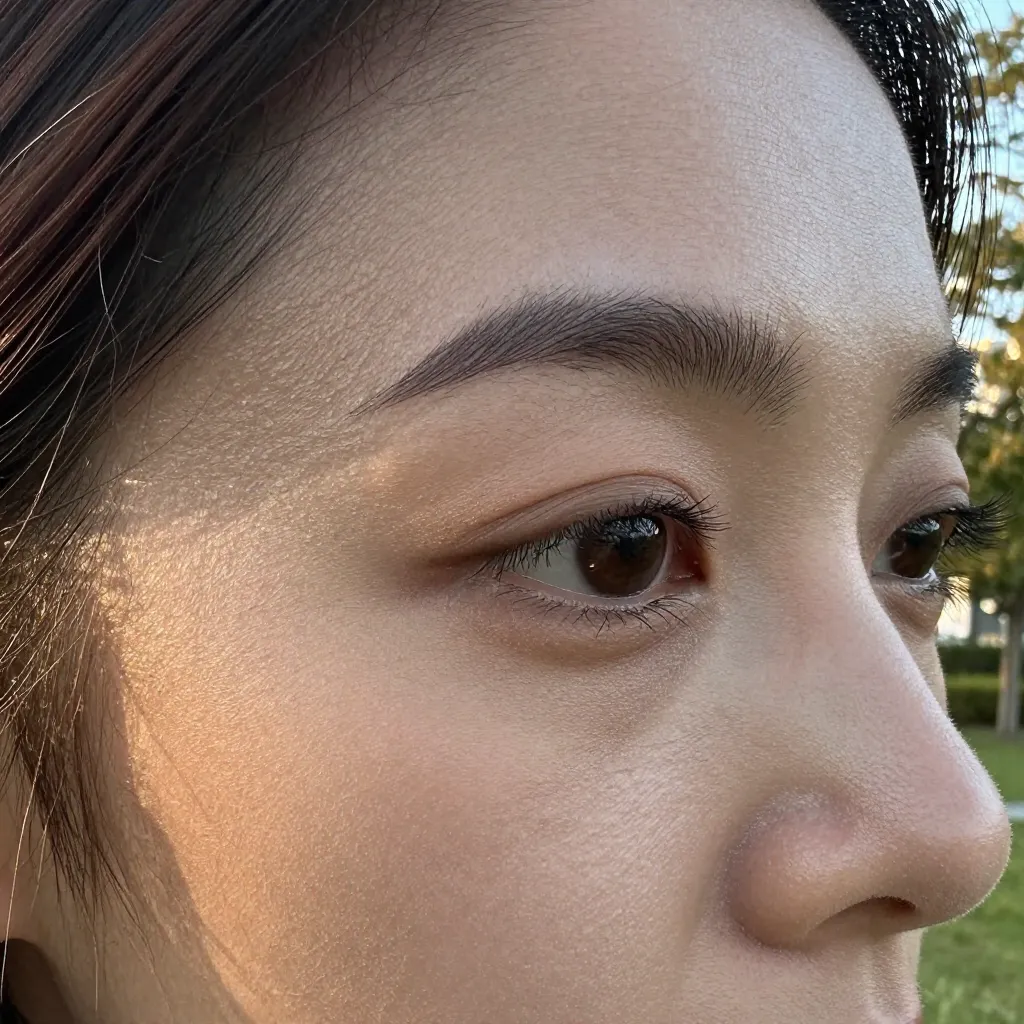 |
1-2/3 images showed slightly finer skin grain, but the difference is small and inconsistent. Similar to the previously verified natural skin texture (confirmed ineffective) — abstract texture descriptors don’t translate well.
d04: skin imperfections, freckles, moles
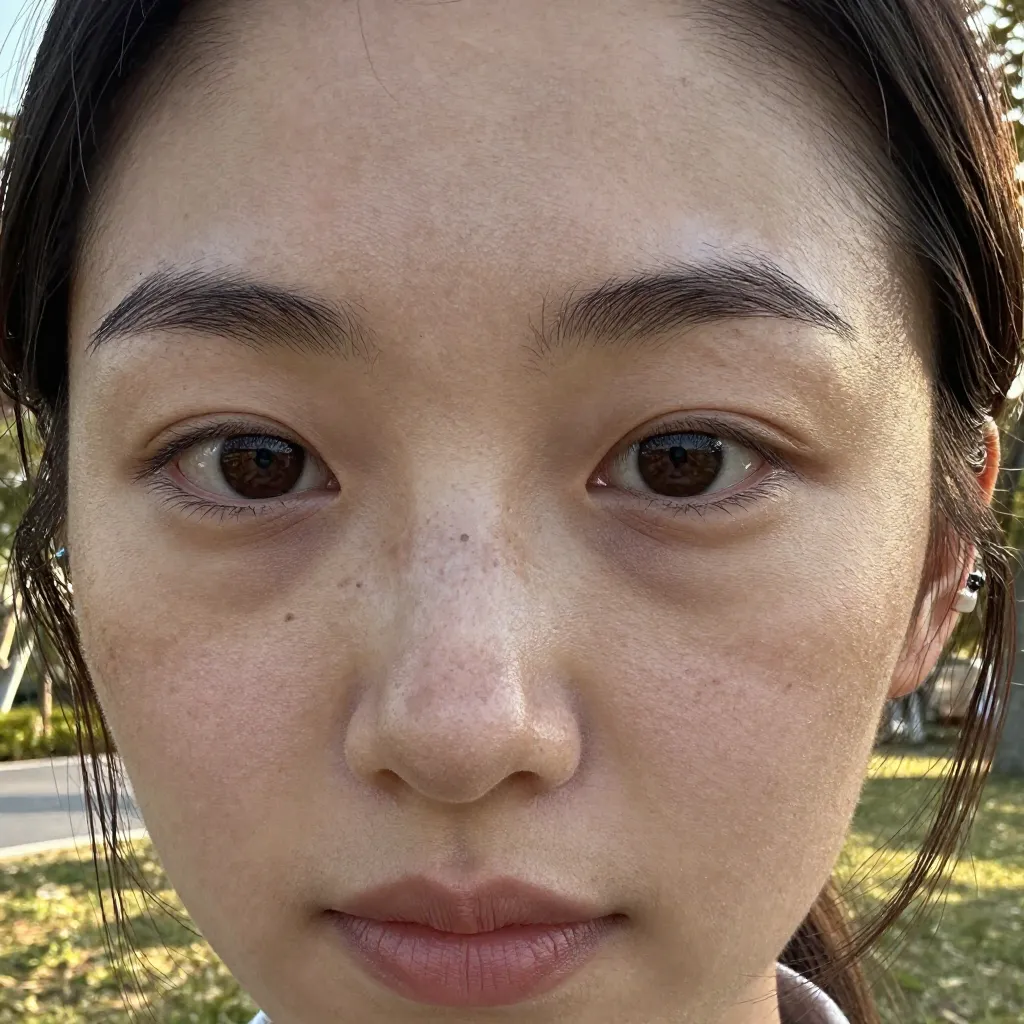 |  | 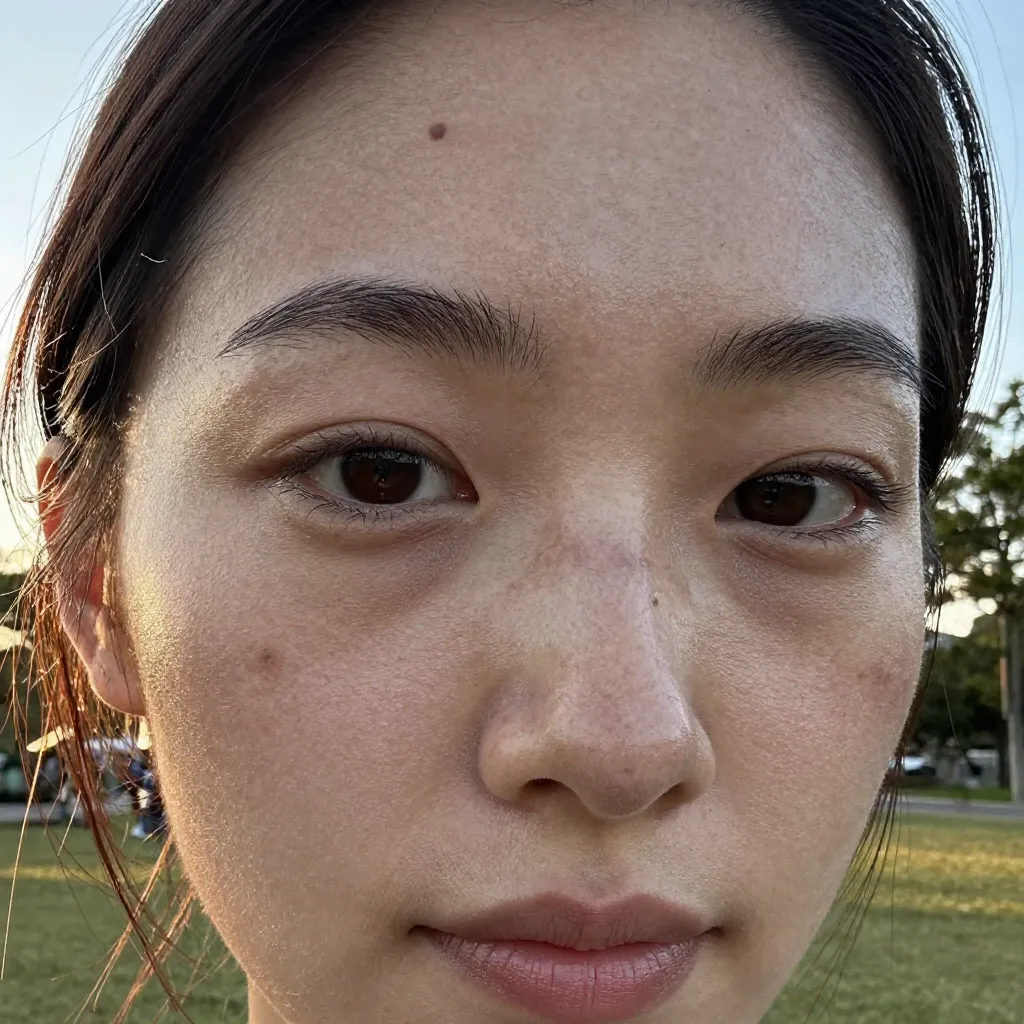 |
Freckles and moles appeared in 3/3 images. s1 showed pore-level texture on the temple-to-cheek area. s2 had freckle-like dots scattered across the nose and cheeks with a mole on the forehead. s3 showed multiple moles and freckles on cheeks and forehead.
Rather than abstract “pores” or “texture,” specifying concrete skin features like “freckles” and “moles” significantly improves skin realism.
Experiment 3 Summary
| Condition | Pore Detail | Freckles/Moles | Verdict |
|---|---|---|---|
skin pores | None | None | No effect |
visible skin pores | None | None | No effect |
detailed skin texture | Weak | None | Weak |
skin imperfections, freckles, moles | Visible | 3/3 appeared | Works |
Note: An abstract term like “pores” tends not to work, but specific elements such as “freckles” or “moles” are more likely to be reflected.
Enhancement Test: Can We Push It Further?
e01: macro photography of face
 |  |  |
Small difference from extreme close-up of face. 1/3 images (s3) showed a tighter crop, but the mouth was cut off. Skin texture resolution improved slightly but inconsistently. extreme close-up of face remains more practical due to better stability.
e02: heavy skin imperfections, many freckles, prominent moles
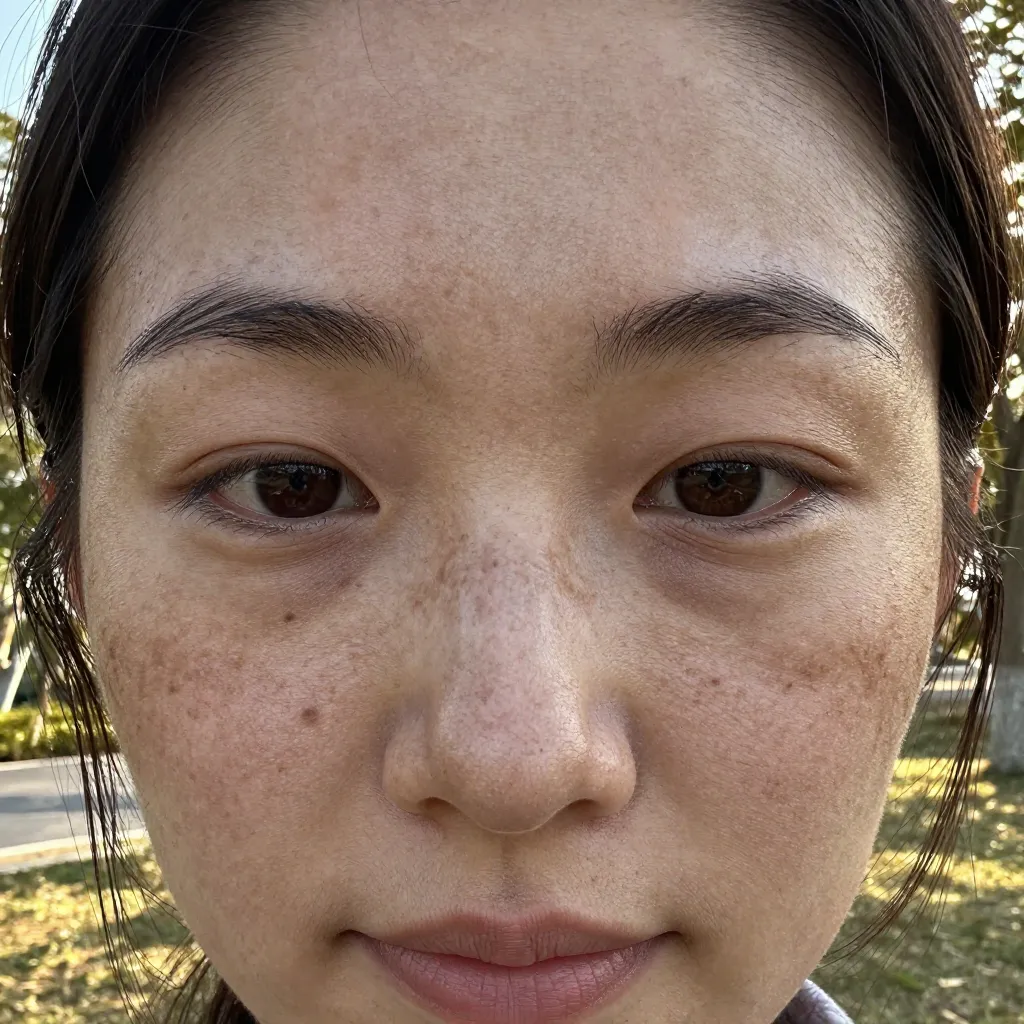 | 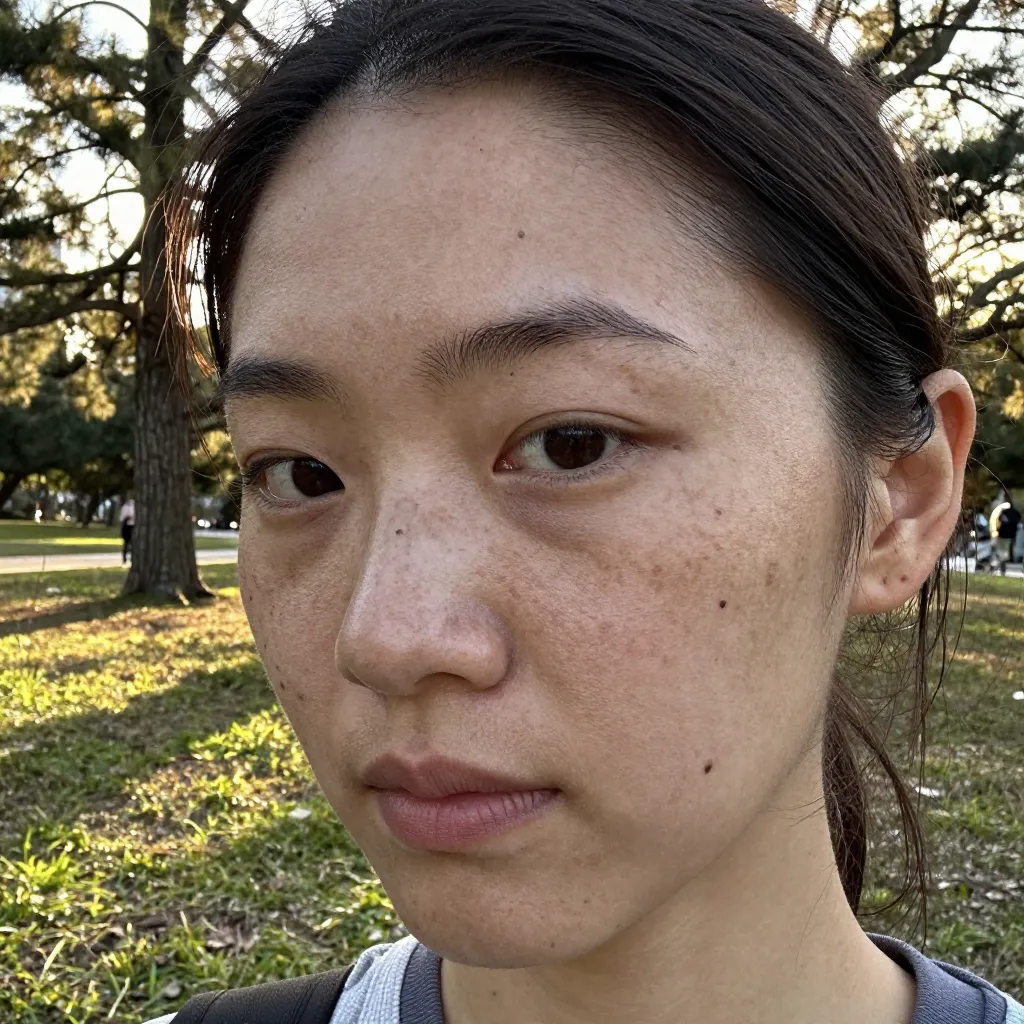 | 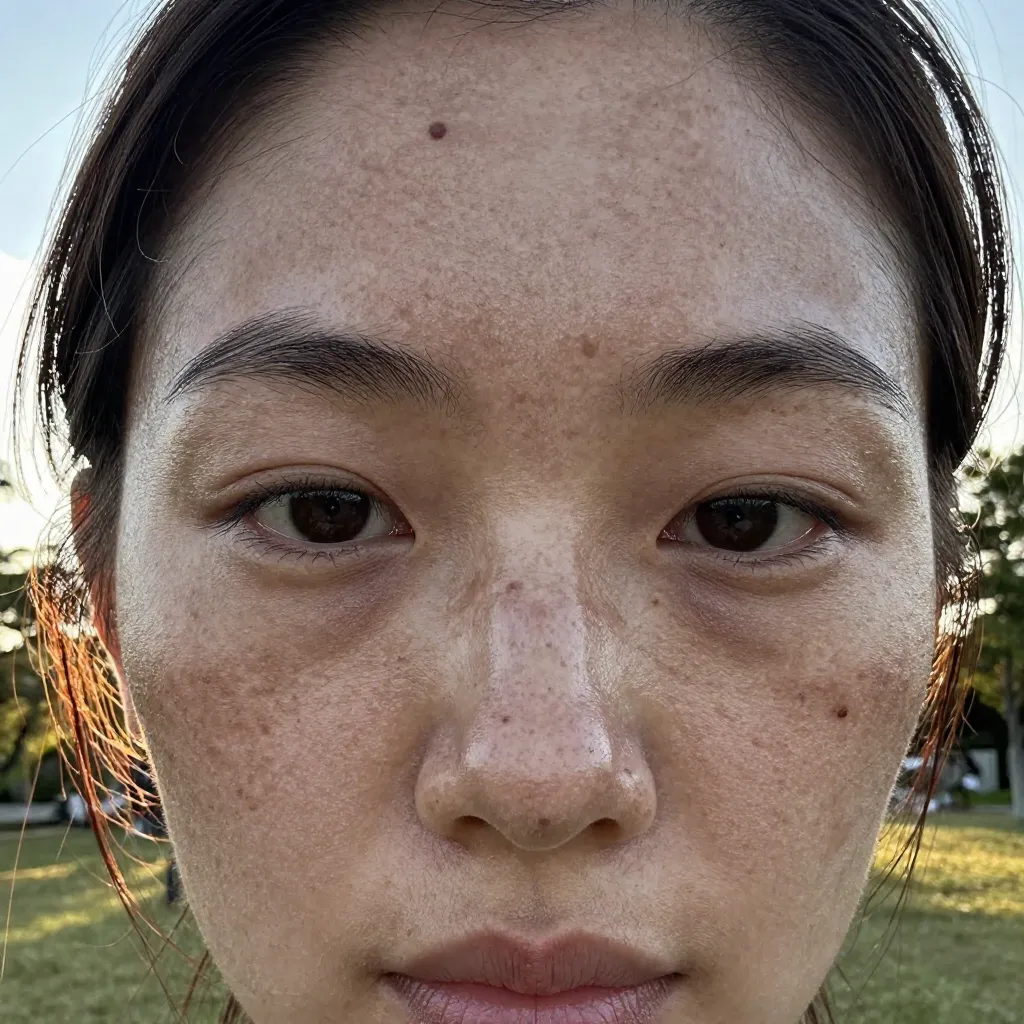 |
3/3 images showed clearly increased freckle and mole density compared to d04. The d04 result was “slight skin imperfections,” while this is “unmistakably freckled skin.” Intensity modifiers work for this use case.
Side effect: the subject tends to look slightly older. The 6 additional tokens may not be worth it if d04’s level of imperfection is sufficient.
Enhancement Test Summary
| Condition | Enhancement Effect | Stability | Side Effects |
|---|---|---|---|
macro photography of face | Marginal | 1/3 | Unstable framing |
heavy/many/prominent modifiers | Works | 3/3 | Slightly older appearance |
All Conditions Summary
| Condition | Effect | Notes |
|---|---|---|
portrait | No effect | Same as control |
close-up | Works | 2x face occupancy, stable |
extreme close-up | Weak | Small improvement over close-up, person duplication risk |
face close-up | Works | Same as close-up, stable |
extreme close-up of face | Strong | 60-75% face, best framing option |
macro photography of face | Marginal | Unstable, minimal gain over ECU |
cross-eyed | No effect | 0/3 showed effect |
looking at viewer | Unstable | Works but causes multi-person generation with ECU |
looking away | Works | Turns face to profile view |
strabismus | Weak | Slight iris misalignment only |
kabuki mie pose | No effect | Kabuki styling overrides composition, 0/3 cross-eyed |
crossed eyes intense glare | No effect | 0/3 cross-eyed, squinting from glare only |
skin pores | No effect | Same as control |
visible skin pores | No effect | Same |
detailed skin texture | Weak | Inconsistent |
skin imperfections, freckles, moles | Works | 3/3 freckles/moles appeared |
heavy/many/prominent modifiers | Works | Increased density, aging side effect |
Cross-Reference with Previous Tests
| Finding | This Test | Previous Tests |
|---|---|---|
natural skin texture | Not tested | No effect (verified) |
skin pores | No effect | First test |
detailed skin texture | Weak | Same trend as natural skin texture |
| Framing keywords | of face is critical | Consistent with prompt vocabulary |
| Intensity modifiers | Work for freckles | Results vary by theme (verified) |
Abstract texture descriptors (skin pores, skin texture variants) consistently fail. Concrete objects (freckles, moles) consistently work. This aligns with previous quality-word testing results.
Key Takeaways
extreme close-up of faceis the optimal face close-up prompt. Specifyingof faceis essential —extreme close-upalone is unstableportraithas no effect on framing in z-image-turbo. Useclose-upor stronger for tighter framingcross-eyeddoesn’t work. Tested 5 variations (cross-eyed,crossed eyes,strabismus,kabuki mie pose,crossed eyes intense glare) across 15 images — 0 showed cross-eyed effect. Not achievable in z-image-turboskin pores/visible skin poresdon’t work. Abstract texture descriptors don’t translate to the modelskin imperfections, freckles, molesworks. Concrete skin features improve skin realism- Intensity modifiers (
heavy,many,prominent) work for freckles/moles but cause a slight aging side effect
![[Verified] Image Generation Prompt Best Practices](/tips/prompt-best-practices/cover_0_0000_4517457392071889496.webp)
![[Experiment] Prompts for Sanpaku Eyes | 9 Conditions, 27 Images](/tips/sanpaku-eyes-test/a05_upward_gaze_s1_0_0000_7662393931790150590.webp)
![[Experiment] Eye Color and Shape Control Test | 13 Conditions, 39 Images](/tips/eye-color-shape-control-test/cover.webp)